

New 10 AI Prompts for Stylish Modern Women with Premium Fashion Photography in Rooftop Settings
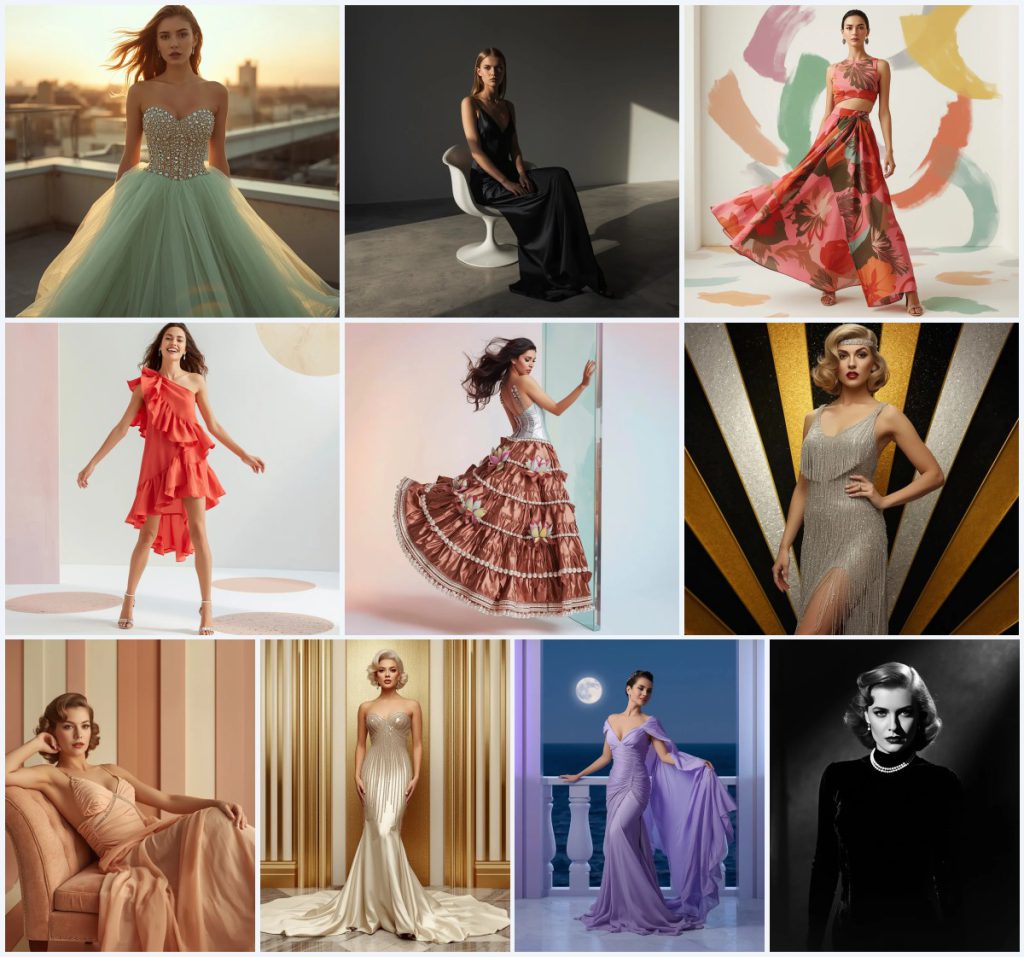
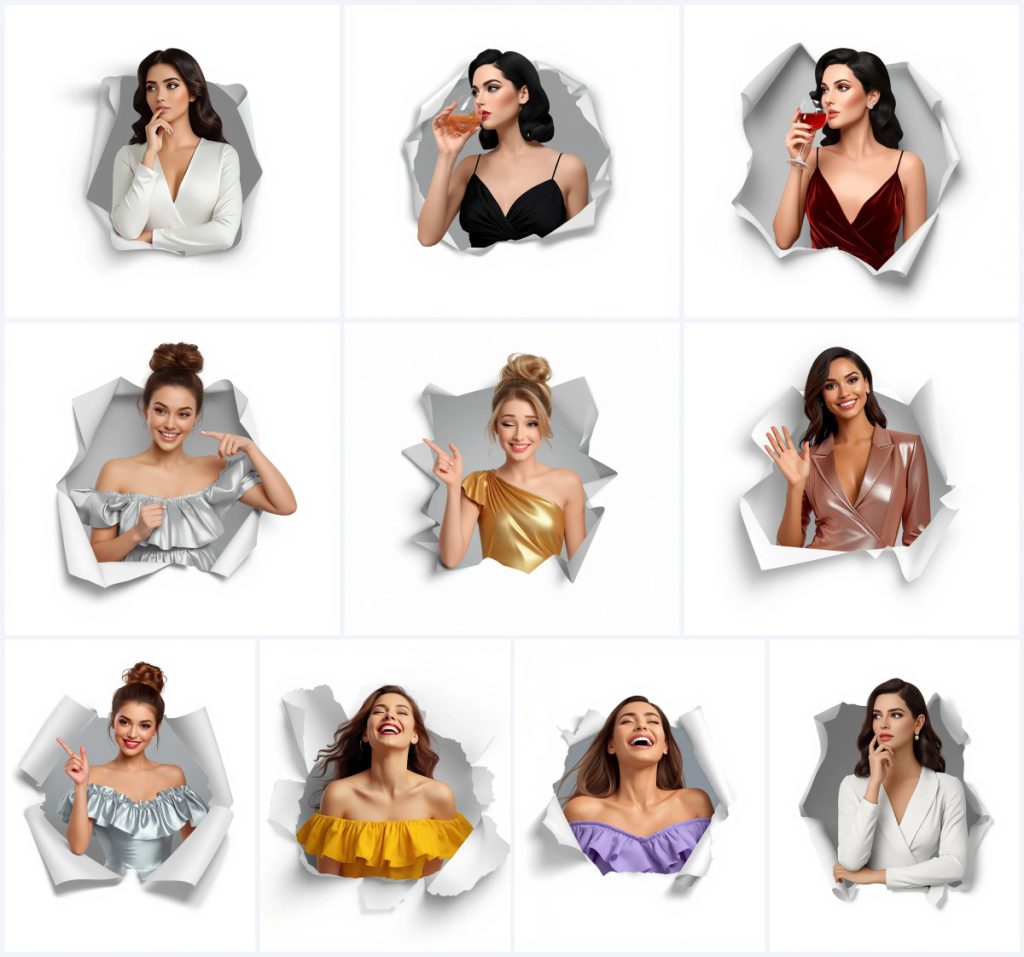
This collection of ten AI image prompts brings together high-fashion elegance and a signature torn-paper composition, all centered on one beautiful woman whose facial identity stays consistent across every frame. Each variation swaps her outfit, mood, and gesture while keeping the polished 3D render style and the chest-up framing intact, giving creators a cohesive set for editorial portraits, lookbooks, or social media carousels.
From a white crepe jumpsuit and a classic black gown to metallic mini dresses and joyful laughter shots, the prompts blend premium fashion photography with a modern, graphic backdrop. The shared scene—a woman emerging through a ripped paper hole against a light grey gradient—adds a clean, magazine-ready finish that makes the collection feel deliberate and unified.
What this stylish modern-women collection is asking for
The ten prompts describe the same woman in a chest-up view, rendered in an ultra-clean, high-resolution, sharp 3D style. Every image features a distinct outfit and pose, but all share the torn-paper-hole composition, a light grey gradient background, and a focus on polished, premium fashion photography suitable for party-wear and editorial looks.
- A beautiful woman with identical facial structure and identity in every render
- Chest-up framing that keeps attention on the face, outfit, and gesture
- A torn paper hole with realistic ripped edges wrapping around her half-body
- A light grey gradient subtly filling the inside of the hole
- Polished 3D render style described as ultra-clean, high-resolution, and sharp
- Western party-wear outfits including crepe, velvet, metallic, and ruffle dresses
The shared scene behind all ten prompts
Every prompt in this collection builds the same visual stage: a woman materializing through torn paper. The text specifies “emerging through a torn paper hole, with realistic, ripped edges wrapping naturally around her half-body,” which creates a layered, almost pop-up effect that frames her upper body against a clean backdrop.
The background stays deliberately minimal with “a light grey gradient color subtly filling the inside of the hole.” This keeps the focus locked on her expression, the texture of the fabric, and the small details like a cocktail glass or a playful wink, while the torn edges add a tactile, editorial edge.
Why this collection works for premium fashion AI portraits
These prompts succeed because they combine a repeatable, recognizable composition with enough variety in outfits and moods to fill a full editorial spread. The consistent identity, lighting, and framing make the set feel like a professional campaign, while the torn-paper motif adds a graphic, contemporary twist that stands out in social feeds and portfolio pieces.
- The torn-paper hole creates a signature visual hook that unifies all ten images instantly.
- Keeping the same woman and chest-up framing builds a strong, cohesive brand look across multiple posts.
- The mix of fabrics—crepe, velvet, metallic, ruffles—showcases material texture and fashion detail that AI renders can highlight beautifully.
Three style directions embedded in this prompt collection
The collection leans on three distinct style directions, all kept within the same prompt framework. The ultra-clean 3D render style gives every image a polished, almost CGI-advertisement finish. The torn-paper composition borrows from graphic design and mixed-media editorial layouts. Finally, the premium fashion photography influence shows up in the poses, fabric choices, and the chest-up cropping that mimics luxury lookbooks.
- 3D Render Realism: Use the exact phrase “ultra-clean, high-resolution, sharp, polished 3D render” to achieve that flawless, ad-campaign finish for the woman and her outfit.
- Editorial Mixed-Media: Keep the “torn paper hole with realistic, ripped edges” wording to blend graphic design elements with a photographic portrait seamlessly.
- Premium Fashion Lookbook: Describe the outfit with fabric-specific terms like “white crepe jumpsuit” or “ruby red velvet gown” to steer the render toward high-end fashion imagery.
How to generate these stylish modern-women portraits step by step
Start by copying one full prompt from the collection, such as the Thoughtful Woman in a White Crepe Jumpsuit or the Elegant Woman in a Classic Black Crepe Gown, and paste it into your chosen AI image tool. If your tool supports reference images, upload a clear chest-up photo of the person you want to feature, making sure the face is well-lit and front-facing. Run the generation, then carefully inspect the hands, facial identity, and the torn-paper edges for realism before upscaling or downloading.
- Copy the full prompt. Select one prompt from the collection, for example the Joyful Woman in a Sunny Yellow Ruffle Mini Dress, and copy the entire text exactly.
- Upload a reference photo. If the platform allows, upload a chest-up reference image of the person whose face you want to keep consistent across all ten renders.
- Set the aspect ratio. Choose a vertical or square aspect ratio that suits the chest-up framing and the torn-paper composition best.
- Generate the image. Run the prompt and wait for the initial output; most tools will give you two to four variations at once.
- Check hands and face. Zoom in on the hand resting on the chin or holding the cocktail glass, and confirm the facial identity matches your reference.
- Inspect the paper edges. Look closely at the torn paper hole to ensure the ripped edges look natural and wrap around the half-body convincingly.
Choosing a reference photo for consistent facial identity
A strong reference photo is the backbone of this collection, since all ten prompts rely on the same woman’s face appearing identically across different outfits and moods. Pick an image that matches the chest-up framing and has even, diffused lighting without harsh shadows on the face. The expression should be neutral enough to adapt to both pensive and joyful poses, and the hair should be pulled back or styled simply so it doesn’t clash with the described hairstyles.
- Use a chest-up, front-facing portrait with soft, even lighting and a plain background.
- Keep the expression relaxed and neutral so the AI can map it onto thoughtful, laughing, or winking poses.
- Ensure the reference photo is high-resolution and sharp, matching the “ultra-clean, high-resolution” quality the prompt demands.
AI tools for generating this premium fashion collection
Different platforms handle the polished 3D render style and the torn-paper composition with varying success. ChatGPT and Google Gemini excel at prompt refinement and can generate images directly, while Leonardo AI and Midjourney offer specialized fine-tuning for realism and texture. The table below compares their strengths for this particular prompt set.
| Tool | Access | Typical realism | Useful here for |
|---|---|---|---|
| ChatGPT | Free and paid tiers | High, with good prompt adherence | Generating the white crepe jumpsuit with accurate V-neckline and long sleeves |
| Google Gemini | Free and paid tiers | High, strong on fabric textures | Rendering the ruby red velvet gown’s flowing silhouette and spaghetti straps |
| Leonardo AI | Free and paid tiers | Very high, excellent for 3D renders | Producing the metallic silver ruffle mini dress with playful off-shoulder layers |
| Midjourney | Paid subscription | Very high, cinematic quality | Capturing the torn paper hole with realistic ripped edges and light grey gradient |
Three tips for nailing the fabric and finish
The prompts name specific materials and garments that guide the AI’s texture rendering, so leaning into those details makes a visible difference. First, when generating the white crepe jumpsuit, emphasize “delicate V-neckline and elegant long sleeves” in any negative-prompt adjustments to avoid distorted necklines. Second, for the metallic gold one-shoulder bodycon dress, add a subtle note about “playful ruching” in your refinement steps to keep the fabric folds looking intentional. Third, with the sunny yellow ruffle mini dress, check that the “off-shoulder neckline” sits correctly and doesn’t morph into a standard sleeve.
- For the white crepe jumpsuit, double-check the V-neckline depth and sleeve length in every output.
- When rendering the metallic gold one-shoulder bodycon dress, watch the ruching so it doesn’t flatten into a smooth tube.
- With the sunny yellow ruffle mini dress, verify the off-shoulder neckline stays asymmetrical and the ruffles remain layered.
Common rendering issues and how to fix them
Even with a detailed prompt, AI image generators can stumble on a few recurring problems in this collection. The torn paper hole sometimes merges with the woman’s clothing or hair, hands holding a cocktail glass may appear with fused fingers, and the facial identity can drift across different outfits. The table below lists the most frequent issues and the specific prompt adjustments that help correct them.
| Issue | What to change |
|---|---|
| Torn paper edges blend into the hair or outfit | Add “sharp, distinct ripped paper edges with clear separation from the subject” to the prompt. |
| Hand on chin looks distorted or has extra fingers | Include “anatomically correct hand, five fingers visible, gently resting on chin” in the positive prompt. |
| Facial identity shifts between different outfit prompts | Use the same reference photo seed or image URL across all generations and add “identical facial structure” to each prompt. |
| Cocktail glass appears floating or disconnected from the hand | Specify “hand holding a cocktail glass with fingers wrapped naturally around the stem” to anchor the object. |
Frequently Asked Questions
Can I use these prompts to generate images of a different person?
Yes, the prompts are designed to work with any reference photo. Upload a chest-up image of your chosen person, and the AI will map their facial structure onto the described poses and outfits while keeping the identity consistent across all ten variations.
Why does the torn paper hole sometimes look like a frame instead of ripped paper?
That usually happens when the AI interprets “hole” as a clean window. To fix it, add words like “jagged, irregular ripped edges” and “paper texture visible” to reinforce the torn-paper look. Running the prompt through a tool with strong texture rendering, like Midjourney or Leonardo AI, also helps.
Do I need to generate all ten images to get value from this collection?
Not at all. Each prompt works as a standalone portrait. You can pick just one—like the Chic Woman in a Metallic Rose Gold Midi Dress—for a single post, or generate the full set when you want a cohesive carousel or lookbook series.
Conclusion
This ten-prompt collection gives you a ready-made editorial series that balances consistent identity with outfit variety, all wrapped in a graphic torn-paper composition that feels modern and polished. By following the scene details, style directions, and troubleshooting steps, you can produce a full set of premium fashion portraits that look like they belong in a high-end campaign. Whether you use one image or all ten, the combination of specific fabric descriptions, controlled framing, and the signature paper-hole motif makes these prompts a versatile addition to any AI portrait workflow.
When you have your favorite render, open it in a photo editor you already use and tweak the light grey gradient or paper edges to match your personal taste—only edit images you have the right to modify.